
Discover the Pinnacle of Social Media Video Downloader!

Download Your Video
How It Works
Download Videos Without a Watermark from Tokville
Get Your Video Link
Tokville has a plethora of video platforms where you can download your desired video without a watermark. To download videos from one of the listed video platforms, head on over to its website and copy the video link. Go back to Tokville app or mobile app and proceed to the second step.
Paste Your Copied Link
Paste the video link you copied from TikTok, YouTube, Snapchat, Vimeo, or any of the listed platforms on the Tokville video downloader webpage, and click the download button. The downloader will automatically fetch the video. Once the video is ready, proceed to the final step.
Download Your Video
Download your best without a watermark to your chosen format and save it on your device. Tokville downloader gives you the opportunity to download your videos in all the popular video formats, making the app a formidable downloader. The downloaded videos are now ready for other platforms as a Reel/Upload.
How To Use
In this step-by-step video tutorial, we walk you through the entire process of using our Social Media Video Downloader, unlocking a world of possibilities for your content creation. Learn how to effortlessly download videos from your favorite platforms like Instagram, Snapchat, TikTok, and more. Our mobile app only supports 5 platforms: Facebook, Instagram, Tiktok, Snapchat, and X formerly known as (Twitter).
Watch Video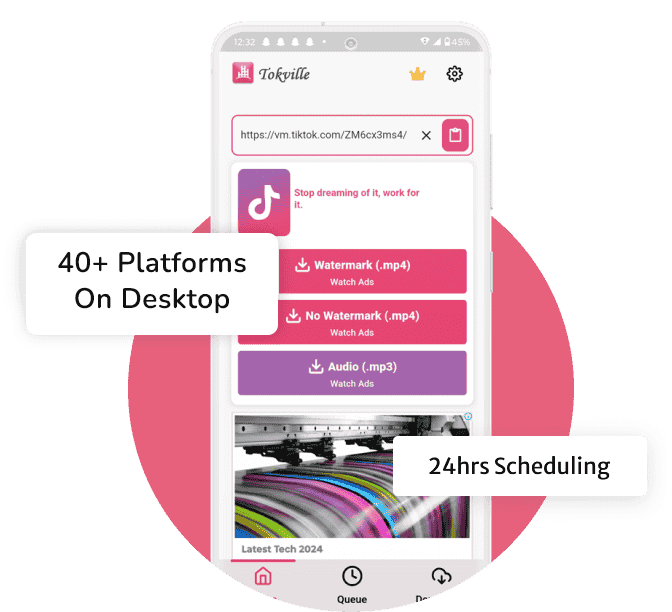
What Makes Tokville Special
Unlimited Downloads
Experience the freedom to curate an expansive collection of your favorite videos with Tokville's Unlimited Downloads feature. No more restrictions — unleash the boundless potential of content at your fingertips.
Fast & Efficient
Time is of the essence, and Tokville understands that. With its "Fast and Efficient" design, downloading videos is a seamless and rapid process. No more waiting around for downloads to complete — get your content quickly and get on with your day.
Fully Secured & Private
Trust Tokville to prioritize your privacy. With state-of-the-art security measures, your downloaded content remains fully secured and private. Enjoy your favorite videos with the assurance that your personal information stays confidential.
24hrs Scheduling
Tokville introduces a revolutionary "24-Hour Scheduling" feature, putting you in control of when your downloads happen. Set a schedule that suits your lifestyle, and let Tokville do the rest. Never miss out on trending content again.
User-Friendly Interface
Navigating through Tokville is a breeze, thanks to its user-friendly interface. Whether you're a tech-savvy enthusiast or a casual user, the intuitive design ensures a seamless experience. Simply copy, paste, and download — it's that easy!
Speech-To-Text
Tokville unveils its latest innovation: Speech-To-Text. Convert videos and audio to text seamlessly. Unlock a world of possibilities. With a 256KB file size limit and three transcription daily, Tokville ensures efficiency without compromising quality.
Frequently Asked Questions
Get answers to the most common questions about Tokville, the
no-watermark video downloader.
Is Tokville video downloader free?
Yes, Tokville video downloader is free. You can download videos from TikTok, YouTube, Instagram, Facebook, and so on.
Can I get Tokville video downloader app for Android & iOS devices?
Yes, Tokville is available for both Android and iOS. Search for “Tokville” in the Google Play Store or the Apple App Store.
Is there a premium version of Tokville video downloader app with no ads?
Yes, the premium version removes ads and unlocks the speech-to-text feature. Pricing is on the app store listings.
Why can't I download video?
Some videos are region-locked, private, or age-restricted. Try a different URL, or check that the video is publicly accessible in your country.
Does Tokville video downloader store a copy of my downloaded videos?
No. Tokville only passes the file from the source platform to your browser. Nothing is stored on our servers.
Where will my downloaded videos be stored on my device?
Files are saved to your browser’s default Downloads folder, usually named “tokville-…” with the original extension.
Is it possible to schedule my downloads?
Scheduling is available in the Tokville mobile app under the Queue tab. The web version downloads immediately.
What Our Users Have To Say About Tokville
"Super Cool Indeed — I just wanted to say thank you for having an amazing company and making it possible for me to watch videos without watermarks. I have been a customer for about 3 months now and haven't had any issues yet."
"Highly Recommend — I'm very happy with the service I downloaded video from one of my favorite Tiktoker and was really pleased with how it worked. I've also downloaded the video without a watermark, I didn't even have to sign up for a premium account."
"One Of the Best Downloader — I have been trying to download Tiktok videos for a while and they are always watermarked. I am so happy I found this app. The app is great and it's just what I needed."